

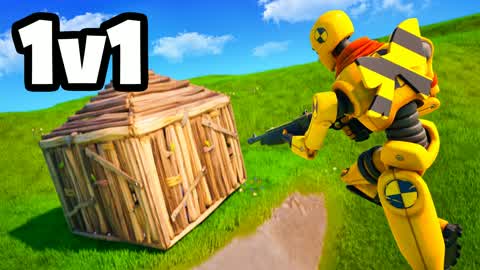
GOOD
1V1 SPEED REALISTICS - FINEST REALISTIC
7950-6306-4857"A 1v1 competitive aim-training map built around fast-paced, realistic-style combat duels against a single opponent."
What your child develops
What your child develops
Speed Realistics is a great place for players to sharpen real mechanical skills — aim precision, quick building, and in-the-moment decision-making under pressure all get a genuine workout here. The structured 1v1 format means every match is a focused skill session, and repeated play genuinely improves hand-eye coordination and game sense that transfer across competitive titles.
What to watch out for
What to watch out for
The score-chasing, win/loss loop of 1v1 maps has no natural stopping point, making it easy for sessions to stretch longer than intended. Fortnite's proximity voice chat is on by default and cannot be disabled by map creators, so players will be in earshot of strangers; in a heated 1v1 context this can occasionally surface trash talk.
Parent tip
Set a session timer before play starts and frame it as a skill-training block — ask your child after each session what they improved on. This turns open-ended grinding into intentional practice with a built-in reason to stop.
ℹFortnite parent guide▾
Bottom line first
Fortnite Battle Royale has unfiltered voice chat with strangers enabled by default. Go to Epic Games account settings → Parental Controls and disable voice chat, or set it to friends-only, before your child plays any online mode.
Fortnite is five different games in one launcher. Battle Royale, LEGO Fortnite, Festival, Rocket Racing, and Creative each have different age-appropriateness and risk profiles. Your child may start in LEGO Fortnite and drift into Battle Royale — check which modes they're actually playing.
V-Bucks are the shared currency across all modes. The Battle Pass, cosmetic bundles, and in-map purchases all use V-Bucks. Many Creative maps surface V-Buck spending prompts. Set spending limits in Epic Games account settings or use a prepaid card with a fixed balance.
Creative map content can change after our rating. Each map is rated by our AI at a point in time — creators can update maps. We recommend periodically checking which maps your child plays and watching a few minutes of gameplay with them.
Action: Epic Games account → Parental Controls → set a PIN, disable voice chat, and cap monthly V-Buck spending. Takes under 5 minutes and significantly reduces risk across all Fortnite modes.