CAUTION
Natural Disaster Survival
by Stickmasterluke
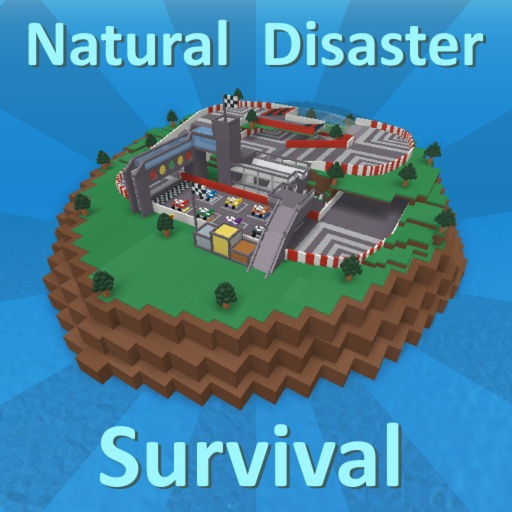
"Natural Disaster Survival is an experience where players must survive various natural disasters on a rotating set of maps."
What your child develops
What your child develops
This experience encourages quick thinking and problem-solving as children learn to react to different disaster scenarios. It also fosters social interaction as players work together or compete to survive, creating a dynamic and engaging environment.
What to watch out for
What to watch out for
The game's design incorporates mild variable rewards, which can encourage extended play sessions. Players also interact with unknown individuals through in-game chat, which carries inherent, but manageable, risks.
This experience is scored on 9 dimensions adapted from the 50-dimension Ludograph rubric. Risk category weights match the rubric (Compulsion-loop design 45%, Monetization 30%, Social 25%); per-category sub-items are aggregated into a single score.
Parents ask…
Is Natural Disaster Survival safe for kids?
Ludograph gives Natural Disaster Survival a rating of 38/100, recommended for ages 8 and up. There are notable risks worth knowing before letting kids play.
What age is Natural Disaster Survival appropriate for?
Ludograph's rubric recommends a minimum age of 8+ for Natural Disaster Survival on Roblox, based on content, social, and monetization risks.
How long should kids play Natural Disaster Survival?
Our session recommendation for Natural Disaster Survival is up to 90 minutes per day. It is derived from the experience's own structure (natural stopping points, compulsion-loop design, monetization pressure, and social dynamics), not from a universal screen-time dose.
Session recommendations are design-based heuristics. Evidence linking specific daily durations to child outcomes is limited, and context matters as much as time; treat this as a starting point for household rules, not a clinical threshold.
What are the main risks of Natural Disaster Survival?
The game's design incorporates mild variable rewards, which can encourage extended play sessions. Players also interact with unknown individuals through in-game chat, which carries inherent, but manageable, risks.
Parent tip
Engage with your child by asking them about the different strategies they use to survive each disaster and how they interact with other players.
ℹRoblox parent guide▾
Bottom line first
By default, Roblox allows unfiltered chat and friend requests from strangers. Enable Account Restrictions immediately. It takes 2 minutes and makes the platform significantly safer for children under 13.
Roblox is a platform of 40 million+ user-made games, not a single game. Quality, safety, and age-appropriateness vary dramatically between experiences. The Ludograph ratings above reflect individual experiences. The platform itself does not guarantee safety.
Robux is the in-game currency used across most popular experiences. Many games are designed around Robux spending: pay-to-win mechanics, exclusive cosmetics, and social comparison of avatar items are common. Set a clear spending policy before your child encounters the first purchase prompt.
The chat filter is imperfect. Children regularly find workarounds (number substitutions, deliberate misspellings). Monitor chat history periodically using the Parent PIN tools, and have an open conversation about what to do if someone says something uncomfortable.
Action: Roblox settings → Privacy → Account Restrictions (ON). This restricts chat, friend requests, and game access to a pre-screened age-appropriate set. Set a Parent PIN to prevent your child from disabling it.