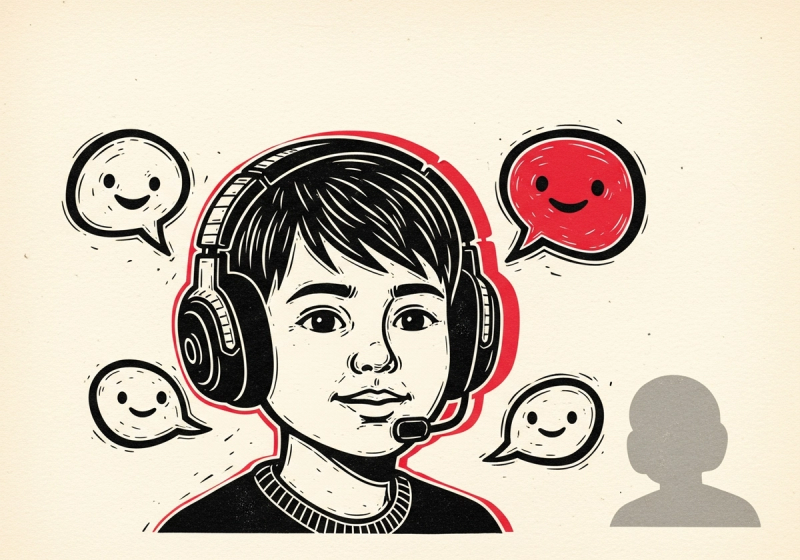
Voice chat, party chat, and stranger contact in 2026
Most modern games have a chat layer. Some of those layers are pretty safe — a private voice channel with friends from school. Others are wide open — a public lobby where your nine-year-old shares a microphone with someone they have never met. The distinction matters more than the underlying game does, and it's almost never visible on the box.
This is a guide to reading the chat surfaces parents actually run into, and to the settings that actually move the needle.
The four shapes of in-game chat
Every chat surface in 2026 fits one of four patterns. Knowing which one you're looking at is the first move.
- In-game public chat. Open lobbies, public servers, "anyone who walks past". This is Roblox public games, Fortnite matchmade voice chat, Grand Theft Auto V's online lobbies. Exposure: high. Moderation: variable, often automated.
- In-game friends-only chat. Same engine, locked to your kid's friend list. Exposure: bounded by who's on the friend list — which is the actual control surface here.
- Platform party chat. PlayStation Parties, Xbox Parties, Discord servers running parallel to the game. The game has no idea this chat exists. Exposure depends entirely on who's in the party.
- DMs and friend requests. The quiet surface most parents miss — direct messages on Roblox, Fortnite friend requests, PSN messages. Often the entry point for the other three.
The standalone "is this game safe?" question almost always turns into the chat-shape question after one round.
How Ludograph treats this in scoring
Inside the rubric, stranger contact lives in the R3 (Social risk) family — alongside competitive toxicity, social comparison, and identity-pressure mechanics. R3 is one of three risk families that feed the RIS, which in turn drives the daily time recommendation. So a game with heavy stranger contact gets a shorter recommended session even if everything else about it is fine. That asymmetry is intentional: an hour with strangers and an hour without are not the same hour.
For UGC platforms — Roblox, Fortnite Creative — the per-experience score (see How we score Roblox experiences) breaks stranger risk out as its own visible meter, separate from the platform-level chat infrastructure. A cooperative escape map and a chat-heavy social hub will have very different stranger-risk meters even though they live on the same host platform.
The controls that actually move the needle
The temptation is to fix the chat surface by talking to the kid. That works for a while. The thing that works permanently is the account-level settings. A short list of where the levers live, in rough order of return on effort:
- The platform's parental-controls dashboard. PlayStation, Xbox, Nintendo, and Steam each ship a per-child account that can disable communication globally for that account. This is the one big lever. Roblox and Epic each have account-level chat controls in their settings menus too.
- The per-game online toggle. PS5 and Xbox Series have a per-title online-play switch under the parental-controls dashboard. This is what you want for games whose offline mode is great but whose online mode isn't.
- The microphone itself. A controller with no mic plugged in cannot do open voice chat. For younger kids playing on console, this is a free, reversible, zero-config solution.
- Friend-list discipline. A locked-down friend list with school friends and family only converts every "open chat" surface into a "friends-only chat" surface. This is the parental control that scales with age because the kid does most of the work.
These four together cover roughly 90 % of the realistic exposure surface. The remaining 10 % is the part where the conversation matters.
What to actually say
Three things that land better than "no chat":
- Name the design, not the activity. "I'm fine with you talking to your friends. I'm not fine with you in a lobby with strangers" is much easier to enforce than a blanket ban and a lot more honest about what the actual concern is.
- Decouple chat from the game. Many kids assume that turning off chat means turning off the game. Walking through the parental-controls dashboard together makes the distinction concrete and shows them which settings stay on.
- Make the friend list the centre of the system. "You can voice-chat with anyone on your friend list" plus a real conversation about who gets onto the list is a complete safety policy that doesn't need re-litigating every time a new game ships.
What to look at on a game page
When you're evaluating a new multiplayer game on Ludograph, three signals on the page are worth checking:
- The R3 / Social Risk meter in the breakdown. High R3 means the chat surface itself is part of the concern.
- The bundled-online warning if present — covered separately in Bundled online modes.
- The Parent Tip block at the bottom of every scored game. Where the chat surface is the dominant concern, the Parent Tip names the specific control to flip.
Read next
- Bundled online modes: GTA V, RDR2, and Minecraft — when the chat surface is hiding inside a single-player launcher.
- How much game time is healthy, by age — how social risk feeds into the daily time recommendation.
- How we score Roblox experiences and Fortnite Creative maps — where stranger contact dominates the per-experience score.